REVIEW · SAN DIEGO
A Local’s Guide to San Diego’s Sights: A GPS Self-Guided Drive
Book on Viator →Operated by VoiceMap Audio Tours · Bookable on Viator
San Diego gets a lot easier when you’re in the driver’s seat. This GPS self-drive tour ties you to a VoiceMap audio guide so you can hit major sights on your own timing. I like the control of going at your pace, and I also like the offline-ready setup for maps and narration.
One thing to factor in: the experience is only as smooth as your phone + app timing. Some people reported turn prompts arriving late or the audio cutting oddly, so you’ll want to pay extra attention near intersections and give yourself a buffer when traffic gets busy.
In This Review
- Key points before you go
- Mission Bay to Mt. Soledad: how this GPS drive really plays
- VoiceMap audio + offline maps: what to expect from the tech
- The route set-up: why this loop works for first-timers
- Mission Bay, SeaWorld, and Point Loma’s Cabrillo angle
- Balboa Park and the San Diego Zoo: seeing icons from the road
- Old Town and Presidio Park: switching gears without leaving the tour
- Ocean Beach: the hippie vibe meets a notable pier
- La Jolla, Sunset Cliffs, and Pacific Beach: coastline neighborhoods with audio guidance
- Fort Rosecrans, the Gaslamp Quarter, and Cabrillo Bridge pass-by moments
- Camino de la Costa, then Mt. Soledad’s 360-degree finish
- Timing: how long 2 to 3 hours usually means for real stopping
- Price check: $19.99 per group is where the value comes from
- Practical tips to avoid the most common app pain points
- Who this San Diego GPS drive suits best
- Should you book this San Diego GPS self-drive tour?
- FAQ
- Is this tour fully self-guided while I drive?
- What’s included in the price?
- Where does the tour start and where does it end?
- How long does the drive take?
- What language is the audio available in?
- What do I need to bring with me?
Key points before you go

- Easy “drive-and-listen” format that keeps you flexible with stops
- VoiceMap audio + GPS directions delivered right as you approach landmarks
- Offline access for audio, maps, and geodata
- A tight loop covering Mission Bay, Point Loma, Balboa Park, Old Town, and beaches
- Multiple neighborhood vibes from Ocean Beach to La Jolla and Pacific Beach
- A dramatic end point with Mt. Soledad’s parking-lot finish and 360-degree views
Mission Bay to Mt. Soledad: how this GPS drive really plays
This is not a bus tour with set arrival times. You start at the Mission Bay Beach Club (2688 E Mission Bay Dr) and end at Mount Soledad Memorial Park (6905 La Jolla Scenic S Dr). Then you drive your route while the app narrates what you’re passing and guides you turn-by-turn.
The big appeal is simple: you can linger, slow down, or skip an area without a guide tapping a watch. The tour is priced per group (up to 15), so if you’re traveling with friends or family, this can turn into a bargain way to see “best-of” San Diego without buying multiple tickets.
You can also read our reviews of more guided tours in San Diego



VoiceMap audio + offline maps: what to expect from the tech
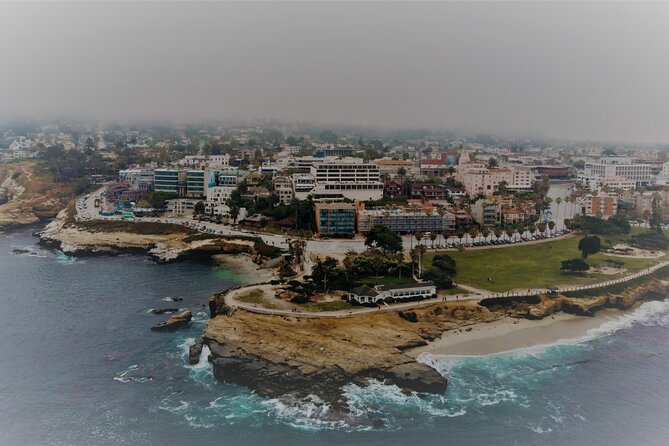
You’ll use the VoiceMap Audio Tours app for Android and iOS, with lifetime access included. The tour also comes with offline access for audio, maps, and geodata, which matters in San Diego when coverage shifts as you move along the coast and around hills.
What you’re not getting: your smartphone and headphones. You’ll need to bring both, and headphones help keep you focused while you drive. If you’re the one behind the wheel, keep volume at a level where you can still hear traffic cues.
There’s also a practical note from real-world use: some people reported issues like the app shutting down or turn directions behaving oddly. I’d treat this as a “test it first” situation. Before you hit the road, download the full tour (not just a preview), start it once, and make sure audio and directions work smoothly before you get into busy intersections.
The route set-up: why this loop works for first-timers

The overall shape of the drive is a classic San Diego sweep. You start on the Mission Bay edge and then fan out through major attractions and neighborhoods before finishing with a high viewpoint.
Along the way, the narration covers big-name stops you’ll recognize instantly, including SeaWorld San Diego, Cabrillo National Monument at Point Loma, Balboa Park, the San Diego Zoo, Old Town State Park, and Presidio Park. You also get a guided pass through beach areas like Ocean Beach, La Jolla, Sunset Cliffs, and Pacific Beach.
This route is built for two kinds of travelers:
- People who want a top-sights overview without committing to museum tickets
- People who want to stop when something catches their eye, then keep rolling
Mission Bay, SeaWorld, and Point Loma’s Cabrillo angle
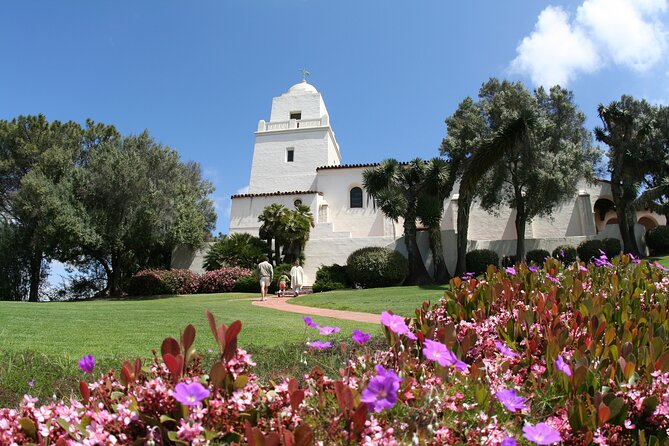
Your tour begins at Mission Bay and immediately starts stacking landmarks. As you drive, you’ll pass SeaWorld San Diego and head toward Point Loma, including Cabrillo National Monument.
One of the most “San Diego-specific” moments in the narration is the Juan Rodriguez Cabrillo thread—where the first European to explore present-day California made his initial landfall on the West Coast. Even if you don’t step out for an extended visit, this is the kind of story that gives the scenery a sense of place.
If you like history but don’t want a long stop schedule, this part is a good match. You’ll get the context while you drive, then you can decide whether you want to park and explore more on your own.
Balboa Park and the San Diego Zoo: seeing icons from the road

As you continue, the app guides you past Balboa Park and the San Diego Zoo. The value here is not that you get a full museum day. It’s that you see how these major landmarks connect to the rest of the city.
From the car, you get orientation fast. You start to understand where the park area sits relative to other districts, and you can plan a return later if you want a deeper visit. If you’re short on time and want the names and locations to click, this is exactly the kind of drive that helps.
You can also read our reviews of more tours and experiences in San Diego






Old Town and Presidio Park: switching gears without leaving the tour
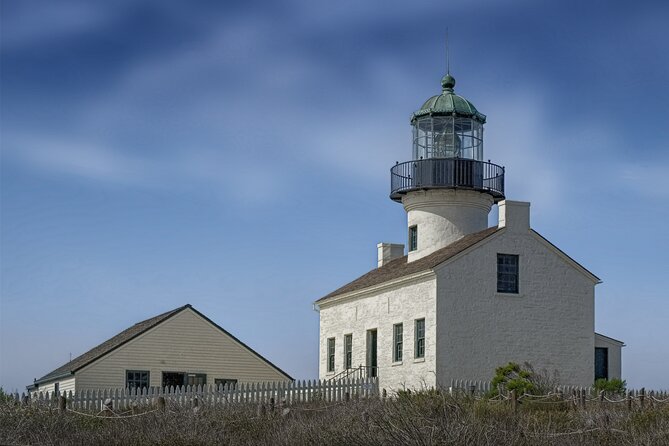
As the route progresses, you’ll pass Old Town State Park and Presidio Park, and you’ll also drive through Old Town San Diego with some history shared while you’re moving.
This is a useful segment because Old Town usually feels different from the beaches and downtown-style streets. Even if you just glance, the narration helps connect the visual vibe to a broader story of the city. It also sets you up for the next transition: Ocean Beach and the coastline neighborhoods.
Ocean Beach: the hippie vibe meets a notable pier
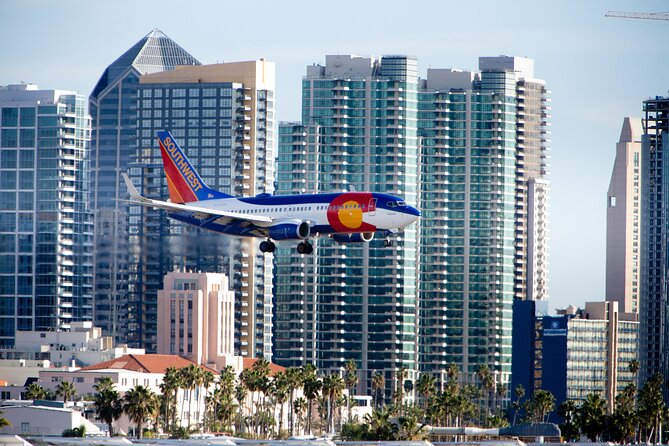
At one point you’ll experience Ocean Beach’s hippie vibe while gazing at the West Coast’s longest fishing pier and its unusual design (as described in the narration). That’s a very “San Diego” pairing: laid-back beach culture alongside something visually distinctive.
Even if you’re not hopping out, this part is worth slowing down for. If you’ve got time, you can also use one of your stops to walk a bit near the pier area. The tour’s flexible format is built for moments like this.
La Jolla, Sunset Cliffs, and Pacific Beach: coastline neighborhoods with audio guidance

The app then shifts into beach-neighborhood mode. You’ll be guided through La Jolla, Sunset Cliffs, and Pacific Beach as you drive.
This is where the self-drive format becomes more than convenience. The audio helps you understand what you’re looking at while you move along a scenic stretch. You’re not stuck on someone else’s schedule, and you can choose where to slow down depending on your mood.
If you enjoy coastal views but don’t want to spend the whole day hopping between parking lots, this sequence is a strong way to sample multiple areas in one go.
Fort Rosecrans, the Gaslamp Quarter, and Cabrillo Bridge pass-by moments
Not every highlight is coastal. You’ll also pass Fort Rosecrans National Cemetery, with narration while you drive. It’s one of those stops where the audio context is especially helpful, because you’ll otherwise just see it from the road.
Then the route guides you through the Gaslamp Quarter and shares its history as you pass. This contrast—cemetery narration, then city-street storytelling—keeps the drive from feeling like one long scenic loop.
And you’ll cross Cabrillo Bridge along the way. Bridges like this can make the route feel like a “connective tissue” moment: you’re moving between sections of the city with a sense of progression.
Camino de la Costa, then Mt. Soledad’s 360-degree finish
Near the end, you’ll be guided along Camino de la Costa, known in the narration as La Jolla’s Street of Dreams. The purpose of this stretch is simple: it gives you a recognizable La Jolla feel before the grand finale.
Finally, the tour ends at Mt. Soledad. You’ll be greeted with a dramatic 360-degree view at the Mount Soledad National Veterans Memorial parking lot. This is a great finish because it’s the kind of viewpoint that helps you make sense of the whole drive you just did—bay-side start, coastal neighborhoods, and city highlights all in your memory at once.
Timing: how long 2 to 3 hours usually means for real stopping
The duration is listed as about 2 to 3 hours, which makes this a realistic plan for a half-day. But your actual time depends on how many times you pause for quick looks versus longer stops.
Because the tour is self-drive, I treat it like a flexible itinerary. If you take short stops only, you can keep things closer to 2 hours. If you want to step out at Ocean Beach or linger for views, plan nearer to 3 hours.
A simple approach: drive once straight-through for the first pass, then use the second half of the loop for longer pauses. That way, you don’t spend the entire day searching for the perfect spot—you just enjoy the ride.
Price check: $19.99 per group is where the value comes from
At $19.99 per group (up to 15), the price works best when you can share it. If you’re a solo driver, it can still be fair—especially since you get lifetime access and offline audio. But the real win is group travel.
You’re paying for the audio guide, not for attractions. Tickets and entrance fees to museums or other sites are not included, so this is about orientation and stories while you drive, not a ticketed “museum day.”
For that purpose, the value is strong. You’re getting a guided overview of major places—Mission Bay, Point Loma, Balboa Park area landmarks, Old Town, Ocean Beach, La Jolla, the Gaslamp Quarter, and a Mt. Soledad viewpoint—without paying separate admission for each.
Practical tips to avoid the most common app pain points
Here’s how to stack the deck in your favor.
First, download the full tour before leaving. Some issues show up when people only load a preview. If the app seems unstable, don’t fight it while you’re already in traffic—pull over somewhere safe, then restart.
Second, treat turn directions as guidance, not magic. A few people reported prompts that felt late or directions that cut awkwardly. That doesn’t mean you should panic. It means you should drive defensively at intersections and keep your eyes on road signs.
Third, use the start/stop function thoughtfully. There’s a report of the app warning that stop/restart usage was used up early, but the provider indicated you should be able to stop and restart as often as you like. If you need multiple pauses, still consider keeping them brief and deliberate.
Finally, bring your own headphones. Since they’re not included, you’ll want to know your phone’s audio settings before you start.
Who this San Diego GPS drive suits best
This tour is a great fit if you:
- Want a first-timer overview with major sights on one drive
- Prefer flexibility over a fixed schedule
- Like learning while moving, with narration tied to where you are
- Have a small group and can split the per-group cost
It’s less ideal if you’re looking for a guide leading long walks through museums, or if you don’t like relying on phone directions. Also, if you hate fiddling with apps while driving, you’ll need to be comfortable using the app before you begin and then focusing on the road.
Should you book this San Diego GPS self-drive tour?
If your goal is to see a lot of San Diego in one smooth afternoon, I’d book it. The price is friendly for small groups, the route covers both landmark zones and beach neighborhoods, and the ending viewpoint at Mt. Soledad gives you a satisfying payoff.
I’d only hesitate if you know you’ll struggle with phone apps in motion, or if you rely on perfect turn timing. If that sounds like you, plan to go slower, keep headphones ready, and expect that you’ll occasionally need to use your own judgment at intersections.
If you’re deciding at the last minute, the free cancellation window up to 24 hours before start time is a nice safety net—so you can book, prep your app, and still change plans if the timing doesn’t work out.
FAQ
Is this tour fully self-guided while I drive?
Yes. It’s a GPS self-guided drive where the VoiceMap app provides audio commentary and directions while you’re in the car. You control when you stop and start.
What’s included in the price?
You get lifetime access to the English tour, the VoiceMap app for Android and iOS, and offline access to audio, maps, and geodata. Tickets or entrance fees are not included.
Where does the tour start and where does it end?
The start is Mission Bay Beach Club, 2688 E Mission Bay Dr, San Diego, CA 92109. The tour ends at Mount Soledad Memorial Park, 6905 La Jolla Scenic S Dr, La Jolla, CA 92037, in the parking lot of Mt. Soledad National Veterans Memorial.
How long does the drive take?
Plan about 2 to 3 hours.
What language is the audio available in?
The tour is offered in English.
What do I need to bring with me?
You’ll need your own smartphone and headphones. Transportation and food and drink are not included.